How to Convert an iPhone Voice Memo to Text
To convert a Voice Memo to text, open the Voice Memos app, tap your recording, tap the ⋯ menu, choose Share, and select AnyScribe. The app transcribes the memo and adds an AI summary, so a rambling five-minute note becomes a few clear paragraphs. Your first 30 minutes are free and no account is needed.
Step by step
Exact steps on your iPhone
- 1
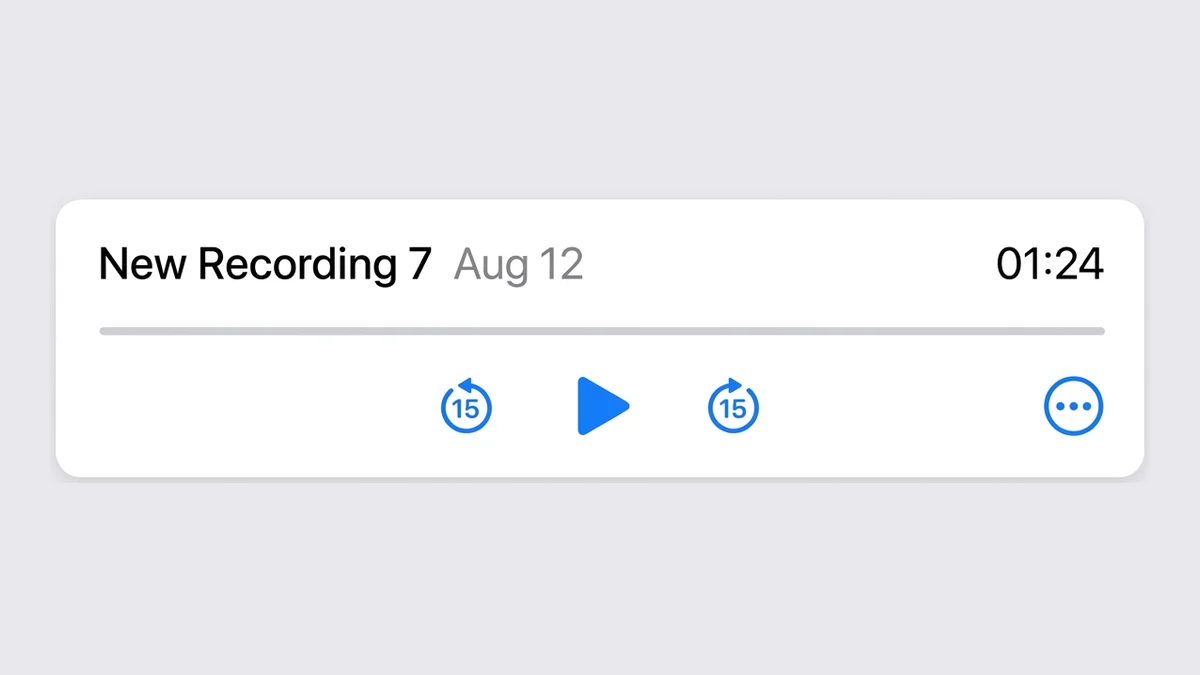
Open Voice Memos and pick a recording
Tap the memo you want to convert so its controls expand.
- 2
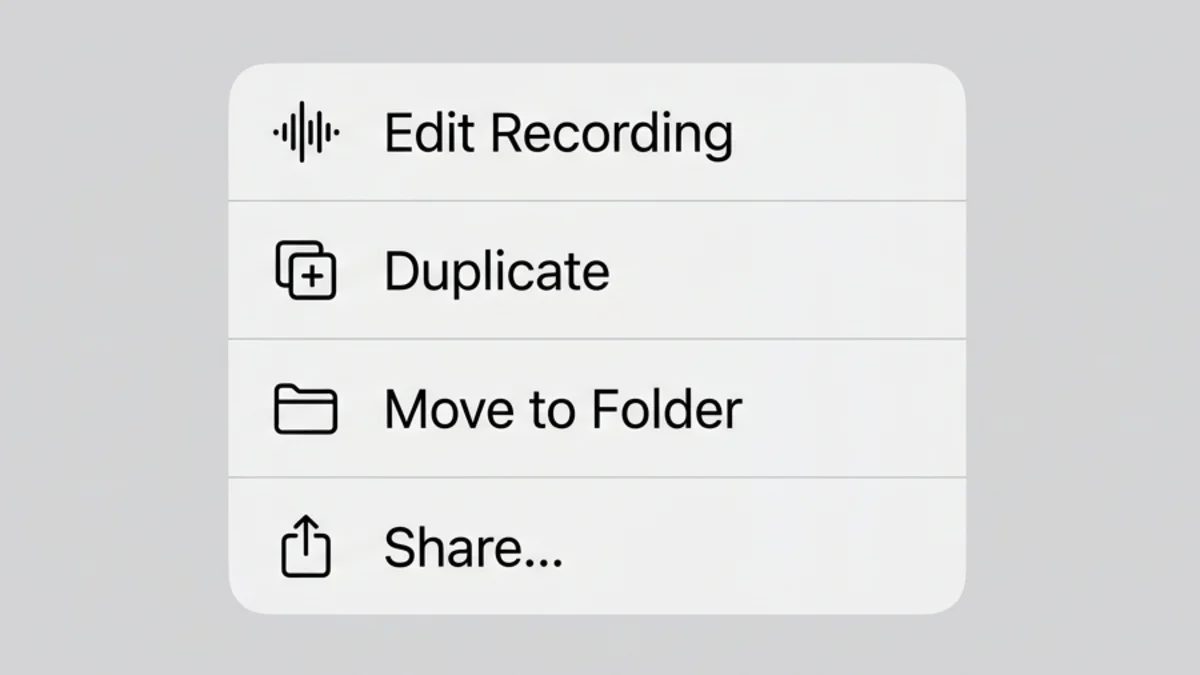
Tap ⋯, then Share
Choose Share from the options menu to open the iOS share sheet.
- 3
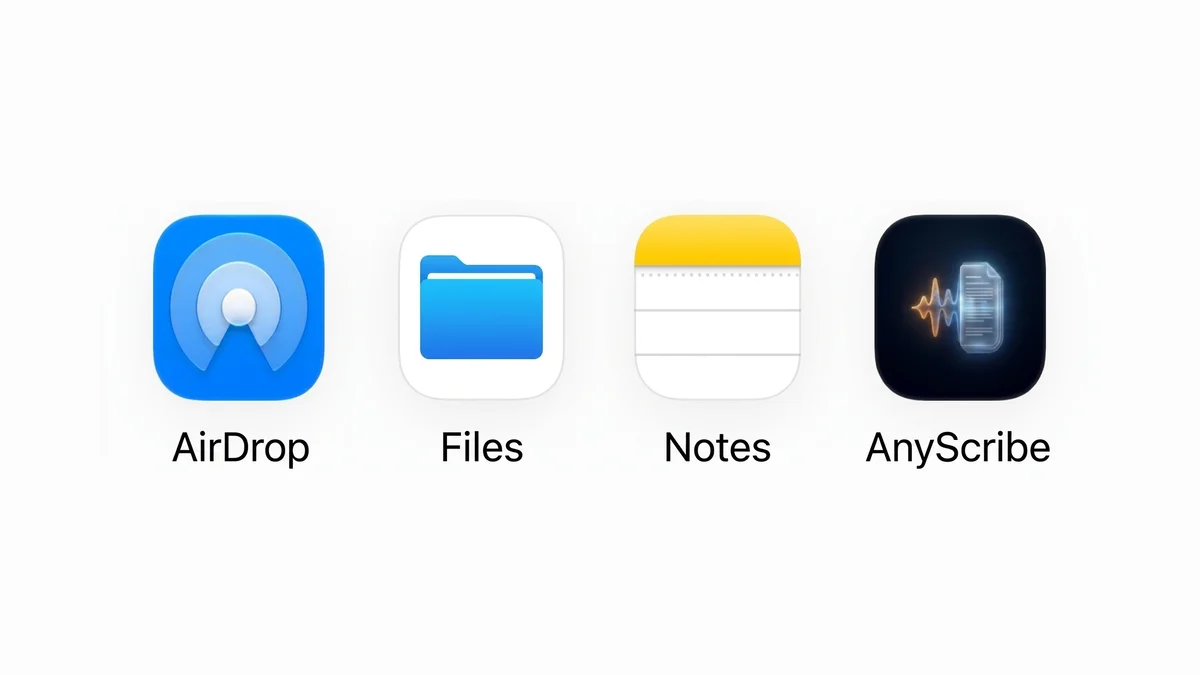
Select AnyScribe
The memo is sent straight to AnyScribe — no exporting or file juggling.
- 4
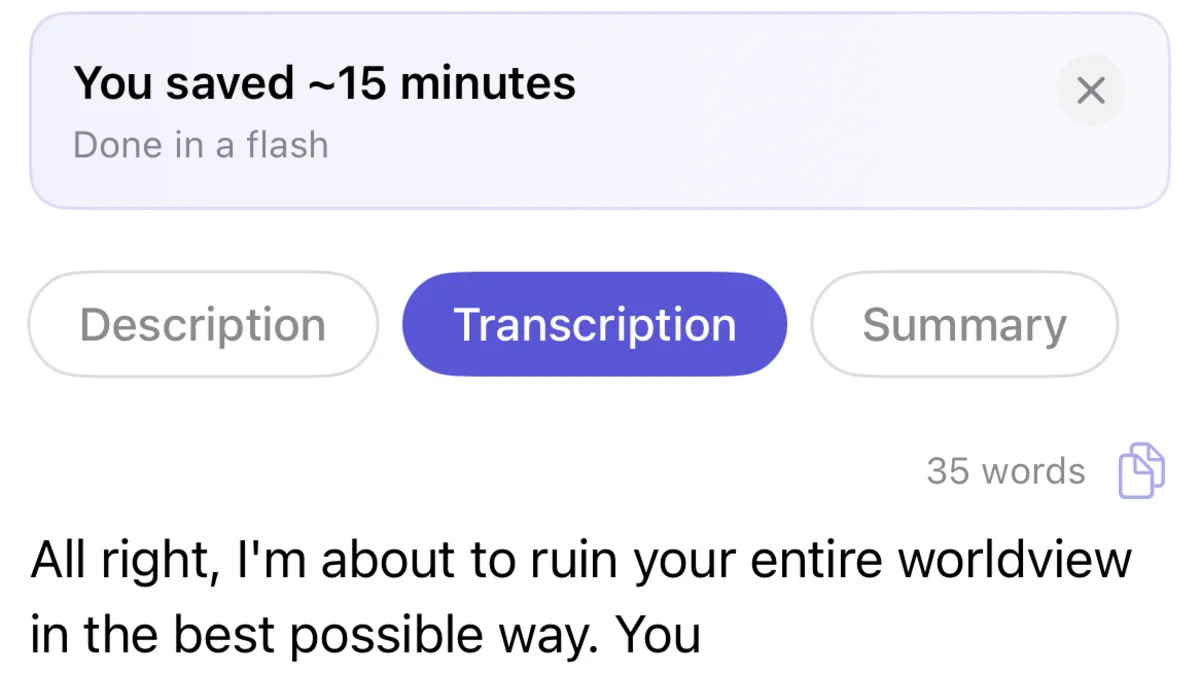
Get text plus a summary
AnyScribe transcribes the memo and generates a summary of the key points. The transcript is searchable and easy to copy anywhere.
Who this workflow is for
People who think out loud and want their ideas back as organized text
Professionals turning dictated notes into emails, documents, and tasks
Journalists and researchers transcribing recorded interviews
Anyone with a backlog of old memos they can no longer remember the contents of
Recording something new? Skip Voice Memos entirely
If you haven't recorded yet, AnyScribe's live transcription can replace the Voice Memos step: tap record in AnyScribe and words appear on screen as you speak. When you stop, you get the transcript and summary immediately, and the audio is also saved on your device.
What works
Recordings shared from the Voice Memos app
Audio files (m4a, mp3, wav, and more) imported from Files
Live recordings made directly in AnyScribe
Good to know
Very quiet or clipped recordings reduce accuracy — record close to the microphone when you can
After the free 30 minutes, transcription uses credits based on audio length
iOS and iPadOS only
Simple, Honest Pricing
No subscription. No account. Buy credits when you need them — they never expire.
Free
$0
30 minutes included with the app. No strings attached.
1 Hour
$1.99
Perfect for occasional use. Credits never expire.
4 Hours
Best value$5.99
Best value for regular transcription needs.
12 Hours
$14.99
For power users and professionals. Credits never expire.
FAQ
Common questions
- Doesn't iOS transcribe Voice Memos already?
- Newer iOS versions can show transcripts for new recordings in a limited set of languages. AnyScribe works with old memos too, supports 50+ languages, adds an AI summary, and puts every transcript in one searchable library alongside videos and podcasts.
- Can I transcribe a memo recorded years ago?
- Yes. Any existing recording can be shared from Voice Memos or imported from Files, regardless of when it was made.
- Where does my transcript go?
- Transcripts are stored on your device and synced through your iCloud. AnyScribe does not keep them on its servers unless you explicitly share a transcript as a web page.
- How accurate is it?
- Accuracy is high for clear speech and degrades with background noise, distance from the microphone, and heavy crosstalk. The AI cleanup step formats the text into readable paragraphs.
Start Transcribing for Free
30 minutes of free transcription. No account needed. No subscription ever.
Download for iOSLast verified on August 3, 2026 against the current version of AnyScribe for iOS.